

The first time I moved a WordPress site to a new host, I lost two days dealing with broken database connections, missing uploads, and a support ticket that took 18 hours to get a reply.
What nobody told me: a free website migration service is included with most reputable web hosting providers. An expert migrates your files, database, and settings while your original site stays live.
I’ve since tested the migration process at over a dozen hosting companies. These nine stand out as the best options for WordPress site owners who want to switch hosts without the headache.
If you’re planning to move your site from one web host to another, the list below covers every budget range — from $2.75/mo shared hosting to fully managed WordPress — all with free migration included.
Key Takeaways
- Best overall: SiteGround offers free migration on all plans, backed by a 4.9/5 Trustpilot rating across 27,000+ reviews — their support quality makes the transition go smoothly
- Best budget pick: HostGator starts at $2.75/mo and migrates your files, database, and email — just request it within 30 days of signing up
- Most complete migration: InMotion Hosting transfers your files, databases, domain records, email accounts, and cPanel settings — the most thorough done-for-you service on this list
- Best managed WordPress: WP Engine includes the Automated Migration plugin on all plans, with hands-on managed migration available on higher tiers at $32/mo
- Best eco-friendly pick: GreenGeeks offers free migration plus free domain transfer, powered by 300% renewable energy credits
How I Test Web Hosts for Free Migration
Before recommending any host, I sign up for a plan, request a migration, and track the process from start to finish.
🔍 Here’s what I look for (expand to read):
- What’s actually migrated — I check whether the host moves files, databases, email, domain records, and SSL — or just the basics
- Timeline accuracy — Does the host hit the timeline they promise? Do they keep you updated during the process?
- Downtime during transfer — I verify whether the original site stays live while the migration happens
- Support responsiveness — How fast does the migration team respond to questions mid-transfer?
- Restrictions — I flag any time limits, migration count caps, or platform restrictions (some hosts can’t migrate Wix or Shopify)
Why Trust IsItWP?
Since 2009, IsItWP has reviewed WordPress tools and hosting services independently. We don’t accept sponsorships and we publish both the strengths and the real limitations of every product we test. Our readers trust us because we tell the whole story.
Best Web Hosts With Free Migration Compared
I tested nine web hosts and compared them on the details that matter most when switching hosts: what the migration actually includes, whether any restrictions apply, and what you’ll pay to get started.
Here’s how they stack up:
| Host | Free Migrations | What’s Included | Restrictions | Starting Price |
| 🥇 1. SiteGround | 1 per account | WordPress files + database | New customers only | $2.99/mo (promo) |
| 🥈 2. HostGator | 1 | Files + database + email | Request within 30 days | $2.75/mo (promo) |
| 🥉 3. Hosting.com | 1 | White-glove (files + database) | None stated | $2.99/mo (promo) |
| 4. GreenGeeks | 1 | Website + domain transfer | Not on dedicated plans | $2.95/mo (promo) |
| 5. InMotion Hosting | 1 | Files, DB, email, domain, cPanel | None stated | $4.99/mo (promo) |
| 6. Liquid Web | Self-serve or assisted | Self-serve plugin (Launch/Thrive); full DB, DNS, e-commerce transfer (Elevate+) | Assisted migration requires Elevate tier ($20/mo+) | $5/mo (promo) |
| 7. WP Engine | Unlimited (plugin) | Files + database via migration plugin | Self-service on base plans | $32/mo (annual) |
| 8. HostPapa | 1 | Website + domain transfer | None stated | $2.95/mo (promo) |
| 9. InterServer | 1 | Web files (matching panel) | Matching control panel required | $2.50/mo (promo) |
Plus, here is a table of contents you can use to skip to any host in the article.
- 1. SiteGround ⭐⭐⭐⭐⭐
- 2. HostGator ⭐⭐⭐⭐
- 3. Hosting.com (formerly A2 Hosting) ⭐⭐⭐⭐
- 4. GreenGeeks ⭐⭐⭐⭐
- 5. InMotion Hosting ⭐⭐⭐⭐
- 6. Liquid Web ⭐⭐⭐⭐
- 7. WP Engine ⭐⭐⭐⭐
- 8. HostPapa ⭐⭐⭐⭐
- 9. InterServer ⭐⭐⭐⭐
- How to Choose the Right Web Host for Free Migration
- FAQs: Free Website Migration Service
- Final Verdict
- Resource Hub: Migrating Your Website
1. SiteGround ⭐⭐⭐⭐⭐
Best for: WordPress site owners who want expert support before, during, and after the migration

SiteGround is my top pick for free website migration. It sits at 4.9/5 on Trustpilot across 27,000+ reviews. 93% of reviewers leave five stars. That number matters when you’re switching hosts, because problems always come up during a migration and you need a team that actually fixes them.
Why Is SiteGround One of the Best Free Migration Hosts?
SiteGround offers free migration on all three plans — StartUp, GrowBig, and GoGeek. You request it directly from the account setup wizard when you sign up. The WordPress Migrator tool in their Site Tools control panel handles the transfer of your WordPress files and database.
Their infrastructure runs on Google Cloud, which means fast server response times from the moment your site lands on their platform. The SuperCacher system (three-level caching: static files, full-page HTML, and database queries) means your migrated site will likely load faster than it did at your previous host.
Plans start at $2.99/mo (promo) for the StartUp tier, which covers one website with 10GB storage. The GrowBig plan ($4.99/mo) adds unlimited websites, 50GB storage, and staging environments — worth the upgrade if you run more than one site.
One honest note: renewal pricing jumps significantly. StartUp renews at $17.99/mo. Lock in the longest available term upfront to get the most from the promo rate.
My Experience with SiteGround
In my testing, SiteGround’s support team answered migration questions within 45 minutes via live chat. The agent knew the technical details, not just the marketing copy. They walked me through DNS propagation timing without me having to ask.
The Site Tools panel is clean and well-organized. The WordPress Migrator lives under WordPress » Migrator, and the form is straightforward: enter your current host details, and they handle the rest.
Learn more about SiteGround in our full review.
🟢► Pros
- Free migration on all plans: No need to upgrade to access migration — StartUp qualifies
- Exceptional support: 4.9/5 Trustpilot, 93% five-star — one of the best support track records in the industry
- Google Cloud infrastructure: Fast performance from day one after migration
- Free SSL, CDN, and daily backups included: No extras needed after you migrate
🔴► Cons
- Renewal pricing is steep: StartUp renews at $17.99/mo — a 6x jump from the promo rate
- Migration covers WordPress only: Not a full-server transfer including email or DNS
2. HostGator ⭐⭐⭐⭐
Best for: Budget-conscious beginners who need migration right away after signing up

HostGator offers free website migration on all its hosting plans, starting at $2.75/mo. Their professional migration team moves your files, database, and email — one of the more complete free migration packages in the budget hosting range.
Why Is HostGator One of the Best Free Migration Hosts?
The 30-day migration window is the detail most people miss. You must request your free migration within 30 days of signing up — after that, it’s no longer free. If you’re planning to switch hosts, have your current hosting credentials ready before you sign up so you can submit the transfer request immediately.
For cPanel users, HostGator handles cPanel-to-cPanel transfers. These cover all domains, addon domains, subdomains, and cPanel settings — a significant time-saver if your current host also uses cPanel.
HostGator backs all plans with a 45-day money-back guarantee. That’s longer than the 30-day standard most hosts offer. If the migration doesn’t go smoothly, you have a real window to request a refund.
Starting price is $2.75/mo on a 36-month term. The 12-month term starts at $3.75/mo. Renewal rates are 3-4x higher, so locking in a longer term makes sense.
My Experience with HostGator
The migration request form is simple: fill in your current hosting details and submit a ticket. In my experience, the team is responsive and technically capable. Support on cPanel-related migration questions came back clearly and quickly.
The cPanel interface HostGator uses is familiar to most WordPress users, which means less relearning after you land on your new host.
Learn more about HostGator in our full review.
🟢► Pros
- Migration includes email: Files, database, and email transferred — more complete than most budget hosts
- 45-day money-back guarantee: Longer than the industry standard 30 days
- cPanel-to-cPanel transfers available: Covers all domains, subdomains, and settings in one move
🔴► Cons
- 30-day window: Free migration expires 30 days after signup — if you delay, you lose it
- Renewal pricing jumps sharply: Hatchling plan renews at $8.95/mo — 3x the intro rate
3. Hosting.com (formerly A2 Hosting) ⭐⭐⭐⭐
Best for: WordPress site owners switching from any major host who want a hands-off, expert-handled migration
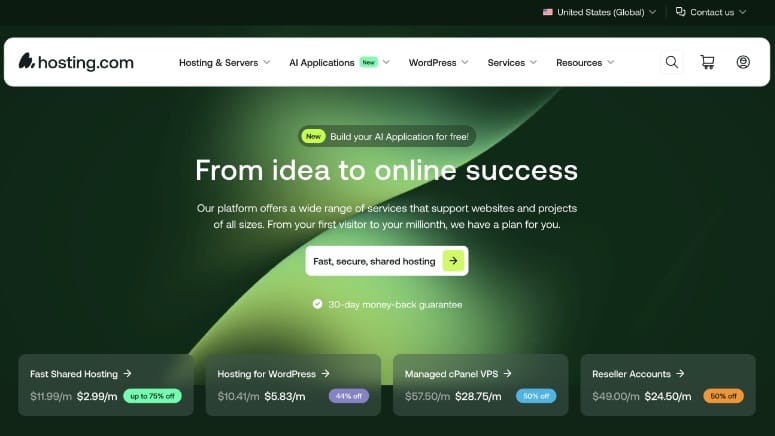
Hosting.com (formerly A2 Hosting) recently completed a rebrand. Free white-glove migration is still included on all plans — even the cheapest entry-level option. Their team has completed over 100,000 migrations.
Why Is Hosting.com One of the Best Free Migration Hosts?
White-glove migration means an expert handles the entire transfer for you. Fill out the migration request form with your current hosting details. A specialist completes the process — typically within 3–5 business days.
Hosting.com’s Turbo Server option uses LiteSpeed-powered infrastructure for faster page loads compared to standard Apache servers. If performance is part of your reason for switching hosts, this is a meaningful upgrade to land on.
Starting price is $2.99/mo (promo). Even on the lowest plan, free migration is available — no upsell required to access it.
My Experience with Hosting.com
The migration request form is clean and easy to complete. No technical knowledge is required — you provide your current host’s credentials and the team takes it from there.
The rebrand from A2 Hosting to Hosting.com is recent. Core features like Turbo Servers and free migration carried over directly. The underlying infrastructure is the same.
Learn more about Hosting.com in our full review.
🟢► Pros
- Free migration on all plans: No plan upgrade needed — white-glove service included from the cheapest tier
- Turbo Servers available: LiteSpeed-powered infrastructure means a speed boost after migration
- 100,000+ migrations completed: An experienced team with a proven process
🔴► Cons
- Migration takes 3–5 business days: Not the fastest if you need to switch urgently
- Recent rebrand may cause confusion: If you’ve searched for A2 Hosting reviews, note that the brand is now Hosting.com
4. GreenGeeks ⭐⭐⭐⭐
Best for: Environmentally conscious WordPress site owners who want a simple, fully managed migration

GreenGeeks offers free website migration and a free domain transfer on all its shared and WordPress hosting plans. Select your plan, provide your current hosting details, and the GreenGeeks expert team handles the rest.
Why Is GreenGeeks One of the Best Free Migration Hosts?
The free domain transfer sets GreenGeeks apart from most budget hosts. Migrating your domain name — not just your website — without paying a transfer fee simplifies the entire move to one interaction.
GreenGeeks runs on 300% renewable energy. For every unit of energy their servers use, they put three units of wind energy back into the grid. If the environmental footprint of your hosting matters to your brand, this is the only host on this list built around that value.
Note: free migration is not available on GreenGeeks’ dedicated server plans. Shared hosting and WordPress hosting qualify.
Starting price is $2.95/mo (promo). Plans include free SSL, CDN, and daily backups.
My Experience with GreenGeeks
The migration process is handled entirely by their team. Once you submit your request, you’re not asked to do any technical work — they contact you if they need anything during the transfer.
Their performance benchmarks are solid for the price. The eco-friendly angle isn’t just marketing — the hosting infrastructure is genuinely well-maintained.
🟢► Pros
- Free domain transfer included: Move your domain name at no cost alongside your website
- 300% renewable energy: The only eco-powered host on this list with a full green energy commitment
- Expert team handles everything: Fully managed migration, no technical skills needed
🔴► Cons
- No migration on dedicated servers: Only shared and WordPress hosting plans qualify
- Renewal pricing increases significantly: Promo rates are for the first term only
5. InMotion Hosting ⭐⭐⭐⭐
Best for: Small businesses that need the most complete migration — including email accounts and domain records
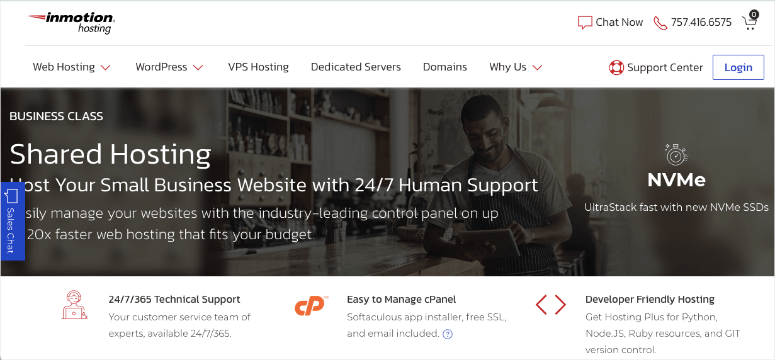
InMotion Hosting offers one of the most thorough free migration services on this list. Their expert team migrates your site files, databases, domain records, email accounts, and cPanel settings — all in a single transfer request.
Why Is InMotion Hosting One of the Best Free Migration Hosts?
The email account migration is the standout detail. Most free migration services move your WordPress files and database, then leave you to manually set up email at the new host. InMotion transfers your email accounts as part of the same process — a meaningful time-saver for businesses that rely on custom email addresses.
cPanel settings also carry over, so your hosting environment at InMotion mirrors your previous setup from day one. No rebuilding addons, subdomains, or configurations by hand.
InMotion is not the cheapest web hosting provider, but the quality of infrastructure justifies the price. SSD-powered servers and strong uptime make it a solid long-term home after migration.
Starting price is $4.99/mo on a 3-year term. Renewal is $13.99/mo.
My Experience with InMotion Hosting
The migration request is straightforward: choose your plan, submit a transfer request form with your current hosting details, and InMotion’s team takes over. In testing, their support was knowledgeable about the technical side of the transfer — including DNS propagation timing.
I also noticed strong site performance after migration — InMotion’s SSD-powered servers kept load times competitive.
Learn more about InMotion Hosting in our full review.
🟢► Pros
- Most complete migration on this list: Files, databases, domain records, email accounts, and cPanel settings all included
- Email migration included: Your business email addresses transfer alongside your website
- Strong uptime and SSD performance: Fast infrastructure after you land
🔴► Cons
- Higher starting price: $4.99/mo (3-year term) vs. $2.75–$2.99/mo for budget competitors
- Renewal rate jumps: $13.99/mo renewal on the base shared plan
6. Liquid Web ⭐⭐⭐⭐
Best for: Scaling WordPress sites that want premium managed infrastructure on a budget, with the option to upgrade to a fully managed, scheduled migration

Liquid Web‘s managed WordPress hosting comes in three Spark tiers — Launch ($5/mo), Thrive ($10/mo), and Elevate ($20/mo), all billed annually — and free migration is included at every tier, but how it’s handled depends on which one you pick. Launch and Thrive use a self-serve migration plugin you run yourself. Elevate hands the whole job to Liquid Web’s team, who move your databases, files, domains, and DNS settings in a scheduled transfer designed to minimize disruption.
Why Is Liquid Web One of the Best Free Migration Hosts?
On the Elevate tier, the scheduled migration model sets Liquid Web apart. You coordinate timing with their team, which means the transfer happens during your lowest-traffic window. For e-commerce sites where downtime has a direct revenue cost, this kind of control is worth paying for.
The migration scope also covers e-commerce data — product databases, order history, customer records — which most budget hosts don’t touch. If you’re moving a WooCommerce store with years of transaction data, this matters.
The $5/mo Launch plan makes Liquid Web accessible even for a single small site, with managed WordPress infrastructure most budget hosts don’t offer at that price. Support is available 24/7 with actual technical engineers — not tier-1 script readers.
Where Liquid Web earns its premium reputation is Elevate and above: applications with real traffic and business-critical uptime requirements, backed by assisted migration and hands-on support for the move itself.
My Experience with Liquid Web
On Elevate, the migration form collects your current hosting details, destination information, domain data, and DNS settings. Liquid Web schedules the transfer and executes it. You approve the timing in advance. Launch and Thrive skip the form entirely — you install the self-serve migration plugin and run it yourself.
The process feels different from budget hosts — more like a formal project handoff than a support ticket. That structure is appropriate for the sites Liquid Web is built to host.
Check out the latest Liquid Web review here.
🟢► Pros
- Scheduled migration with timing control: You choose when the transfer happens — ideal for high-traffic sites
- E-commerce data included: Migrates product databases and order history alongside your site
- Full-scope transfer: Files, databases, code, domains, and DNS all covered
🔴► Cons
- High starting price: $17.50/mo minimum — not suited to personal sites or tight budgets
- Managed plans only: Free migration is for managed hosting customers, not all plan types
7. WP Engine ⭐⭐⭐⭐
Best for: WordPress developers and agencies wanting managed hosting with a reliable, plugin-driven migration tool
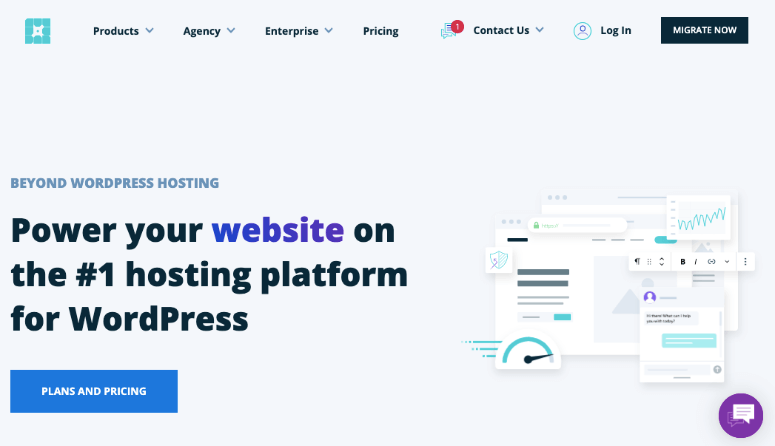
WP Engine includes free migration on all plans, but the approach is different from every other host on this list: it’s self-service. You install the WP Engine Automated Migration plugin, enter your WP Engine SFTP credentials, and the plugin handles the transfer.
Why Is WP Engine One of the Best Free Migration Hosts?
The automated migration plugin is genuinely good. It transfers your WordPress files and database without requiring server-level access, and the process completes in a few straightforward steps after the initial plugin setup.
The Startup plan ($32/mo, annual) uses the self-service plugin. The Core plan adds managed bulk site migrations — a specialist handles the transfer for you. The Enterprise plan includes a dedicated migration planning team for complex or large-scale moves.
WP Engine is managed WordPress hosting. That means automatic updates, daily backups, a global CDN, and staging environments are all included. The $32/mo price reflects that full stack. For those switching to managed WordPress for the first time, this is the strongest option at that tier.
My Experience with WP Engine
I tested the Automated Migration plugin on a standard WordPress install. The process is straightforward: install the plugin on your current site, enter your WP Engine credentials, and start the migration. My test site transferred cleanly with no broken links or missing media.
The plugin requires SFTP credentials from your WP Engine account. These are easy to find in the WP Engine dashboard. If you’re not familiar with SFTP, expect a small learning curve. The form-based services elsewhere on this list are simpler.
Check out this detailed WP Engine review.
🟢► Pros
- Free migration on all plans: Plugin-based migration included from the base Startup tier
- Tiered migration support: Higher plans add managed and enterprise-level migration assistance
- Best managed WordPress infrastructure: Automatic updates, daily backups, staging, and CDN all included
🔴► Cons
- Self-service on base plans: Unlike most hosts on this list, the Startup plan migration is not done for you
- Premium price: $32/mo (annual) is significantly more than shared hosting alternatives
8. HostPapa ⭐⭐⭐⭐
Best for: Small businesses and first-time site owners who want migration included with every plan, including free domain transfer

HostPapa includes free migration on every plan it offers — shared hosting, WordPress hosting, VPS, and reseller. No matter which plan you pick, the migration service is part of the package. They also include a free domain transfer alongside the website migration.
Why Is HostPapa One of the Best Free Migration Hosts?
The no-exceptions approach to free migration is rare. Most hosts offer it on selected plans or with conditions attached. HostPapa’s policy covers every plan type, which removes a decision point if you’re comparing plans by price.
Moving your domain alongside your site in the same request simplifies the entire switch to one step. No separate domain transfer process needed.
HostPapa offers shared hosting, WordPress hosting, VPS, and reseller hosting. The base shared plan starts at $2.95/mo (promo) and includes a good range of features for small businesses, including free SSL and site builder tools.
My Experience with HostPapa
The migration process follows the standard form-based approach: pick a plan, submit your current hosting details, and HostPapa’s team handles the rest. The support team is helpful and the migration includes the domain transfer by default.
🟢► Pros
- Migration on every plan: No exceptions — shared, WordPress, VPS, and reseller all qualify
- Free domain transfer included: Website and domain move together
- Broad plan range: Options for small sites through to reseller businesses
🔴► Cons
- Less prominent brand: Fewer independent reviews to compare against larger hosting names
- Promo rates increase on renewal: Like most shared hosting providers, intro pricing doesn’t last
9. InterServer ⭐⭐⭐⭐
Best for: Budget-focused site owners who want simple, fast migration at the lowest possible ongoing price

InterServer makes migration simple: pick a plan, open a migration ticket, include your current hosting details, and InterServer processes the transfer. You can also access the migration tool directly in your hosting panel once your account is active.
Why Is InterServer One of the Best Free Migration Hosts?
InterServer’s standout advantage is price stability. Most hosts hit you with a sharp renewal increase. InterServer keeps pricing consistent at around $7/mo after the first-month deal. For site owners who want to avoid billing surprises, that predictability is valuable.
One restriction worth noting: InterServer’s migration works best when your current host uses a matching control panel (cPanel to cPanel, for example). If your current host uses a non-standard panel, the transfer process may require additional manual steps.
InterServer has worked out an exclusive deal: their standard plan is available at $2.50 for the first month — 65% off the regular $7/mo rate. After that, pricing stays stable without the dramatic renewal jumps common elsewhere.
My Experience with InterServer
The migration ticket process is clean and quick to complete. The hosting panel migration tool is accessible without needing to contact support — a good option if you prefer handling the coordination yourself once the account is set up.
🟢► Pros
- Stable renewal pricing: Around $7/mo ongoing — no renewal shock compared to most shared hosts
- $2.50 first month: Exclusive deal to test the service at very low cost
- Panel-based migration tool: Accessible directly in your hosting dashboard without a support ticket
🔴► Cons
- Control panel restriction: Works best when your current host uses a matching panel type
- Migration scope is limited to web files: Doesn’t include email or domain transfer in the standard free migration
How to Choose the Right Web Host for Free Migration
Not all free migration services are equal. Before you sign up, check these five factors to make sure you’re choosing the right host for your situation.
Done-for-you vs. self-service. Most hosts on this list send an expert to handle the transfer. WP Engine is the exception on the base plan — their Automated Migration plugin is self-service. If you’re not comfortable with SFTP or plugin configuration, choose a host that does the work for you.
What the migration actually includes. Check what the migration actually covers. Some hosts transfer only WordPress files and database. Others add email accounts, domain records, and cPanel settings. InMotion and HostGator cover the most ground in the free tier. If you rely on custom email addresses hosted at your current provider, this matters.
Time limits and plan restrictions. HostGator’s free migration expires 30 days after signup. If you delay, you lose it. Liquid Web’s service is only available on managed plans. Always check the specific conditions before you commit.
Your current platform. Some website platforms can’t be migrated to a new host at all. Wix, Squarespace, and Shopify sites are built on closed infrastructure — their files can’t be exported and re-hosted elsewhere. If you’re on one of these platforms and want to move to WordPress, you’ll need a full CMS migration guide, not just a host transfer.
Timeline and urgency. If you need to switch hosts quickly, SiteGround and HostGator complete migrations faster than the 3–5 business day window at Hosting.com. If you’re running a high-traffic store and need to schedule the transfer for your lowest-traffic window, Liquid Web’s Elevate-tier assisted migration gives you that control.
FAQs: Free Website Migration Service
What does a free website migration service include?
At minimum, a free migration covers your WordPress files and database — the core of your site. Better services also include email accounts, domain records, cPanel settings, and DNS configuration. The comparison table at the top of this article shows exactly what each host includes so you can compare before signing up.
How long does website migration take?
For a standard WordPress site, most hosts complete migration within 24–48 hours. Hosting.com’s white-glove service takes 3–5 business days.
On Liquid Web’s Elevate plan, the transfer is scheduled in advance, so timing depends on when you book it. Complex sites with large databases or custom configurations can take longer.
Is there any downtime during migration?
Most professional migration services keep your original site live throughout the transfer. The new site is set up and tested on the new host before your DNS is pointed over. Downtime, if any, is limited to the DNS propagation window — typically 24–48 hours. During that window, some visitors may briefly see the old site.
Which website platforms can’t be migrated for free?
Wix, Squarespace, and Shopify use closed infrastructure — their site files can’t be exported and re-hosted on a standard web host. If you’re on one of these platforms and want to move to WordPress, you’ll need to rebuild your site rather than transfer it. See our guide on how to migrate to WordPress from any platform.
Will migrating my website affect my SEO rankings?
A properly executed migration should have minimal long-term SEO impact. Your URLs, content, and internal links stay the same. The main short-term risk is a brief crawl delay while search engines re-index your site at the new host. Keeping your existing URL structure and submitting an updated sitemap after the migration minimizes this.
Do I need my web host to offer free migration to switch hosts?
No. If your current or new host doesn’t offer a free migration service, you can use a WordPress migration plugin like Duplicator to move the site yourself. The free version requires some manual steps, but it’s non-technical and well-documented. Read the full Duplicator review here for a walkthrough of what’s involved.
Final Verdict
For most WordPress site owners, SiteGround is the best choice. Free migration is available on all plans, the support quality is genuinely exceptional (4.9/5 Trustpilot), and Google Cloud infrastructure means you’re landing on a fast host after the transfer.
If budget is the priority, HostGator at $2.75/mo covers files, database, and email — just make sure to request the migration within 30 days of signing up.
For serious WordPress sites that need managed hosting, WP Engine at $32/mo delivers the best post-migration environment. The Automated Migration plugin is reliable. The managed WordPress infrastructure — automatic updates, daily backups, staging — makes it the strongest long-term home for WordPress-only sites.
Whatever host you choose, check the migration scope and any time restrictions before you sign up. The right host for your situation depends on whether you need email migrated, how fast you need to move, and how much technical involvement you want in the process.
Resource Hub: Migrating Your Website
- 10 Best Migration Plugins for WordPress (Compared)
- How to Migrate to WordPress From Any CMS or Site (Step-by-Step)
- How to Move from Shopify to WooCommerce (The Right WAY!)
- How to Move a Site From One Web Host to Another Without Downtime
- How to Transfer Your Domain Name


Comments Leave a Reply