Plante (French for "plant") pairs a real greenhouse, built on a Raspberry Pi and an Arduino, with a pixel-art web app where keeping plants alive earns you XP, achievements, and bragging rights.
🏆 A double winner: Plante took home the Best Design prize at uOttaHack 8, a hackathon with over 400 participants, and its writeup won the Built with Google Gemini Writing Challenge on dev.to!
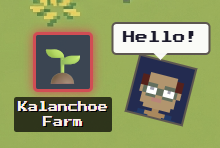
Lots of people want to grow their own fruits and vegetables but simply don't have the time to monitor a garden. Plante was built to bridge that gap: an accessible Raspberry Pi kit that automates the boring parts of plant care, and a game-like app that makes the rest fun.
The project was built in 36 hours at uOttaHack 8, an MLH-sponsored hackathon with over 400 participants, where it won the Best Design prize. The story behind the build went on to win the Built with Google Gemini Writing Challenge on dev.to, making Plante a winner twice over.
| Full hardware & software demo | Farm mini-game on CodePen |
|---|---|
 |
 |
- Live app: plante-flame.vercel.app. Feel free to register! AI features were disabled after the hackathon ended.
- Farm mini-game: A CodePen demo of the little farm game, written in TypeScript from scratch. Press
Gto express yourself!
- 🏡 Automated Greenhouse: The physical box opens and closes its lid with servos to regulate temperature and humidity, based on configurable thresholds
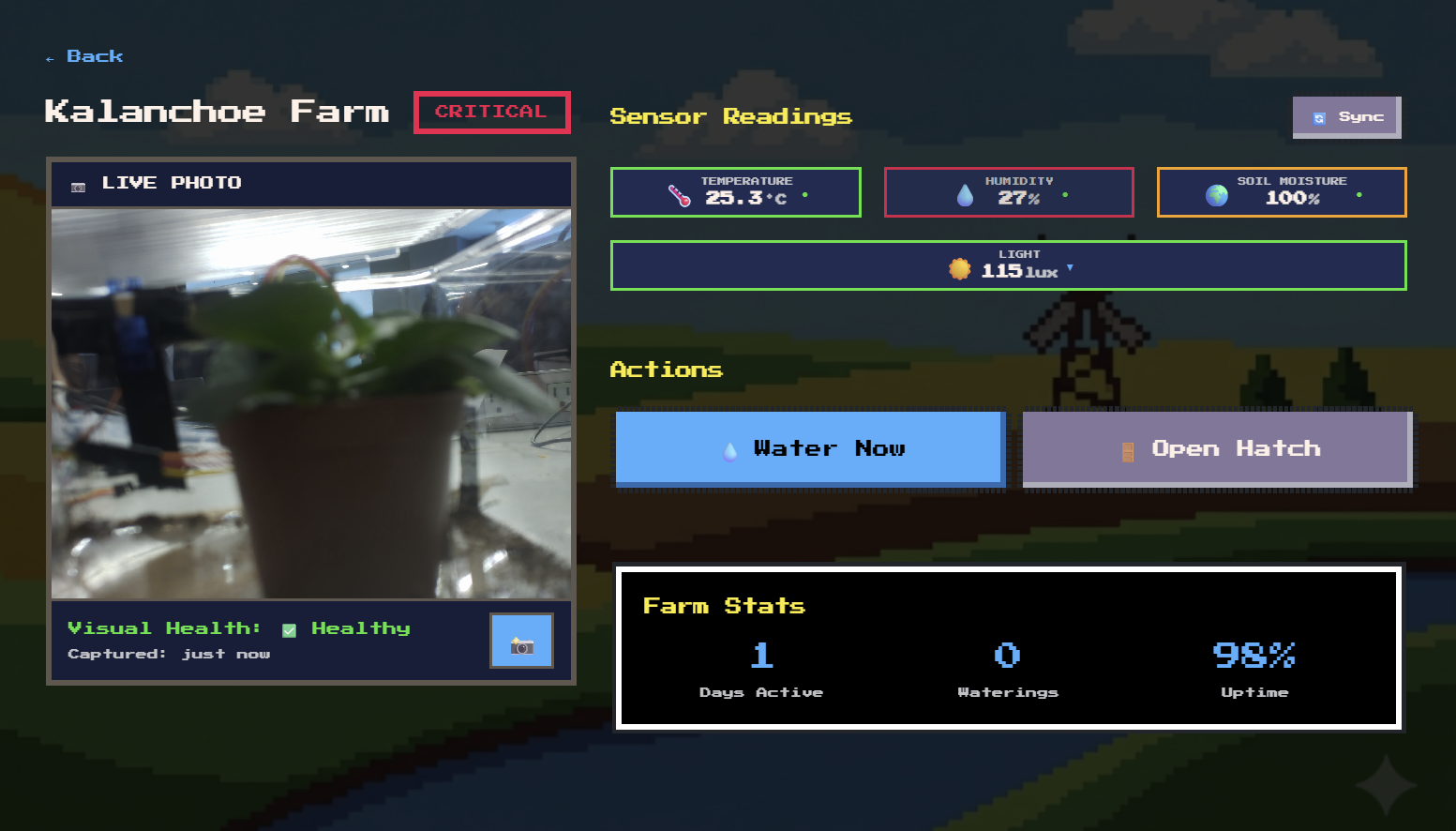
- 📊 Live Sensor Data: Real-time temperature, humidity, light, and soil moisture readings streamed from the Raspberry Pi
- 📸 Plant Camera: A Pi camera keeps an eye on the plant's health, with pixel-art filters to match the vibe
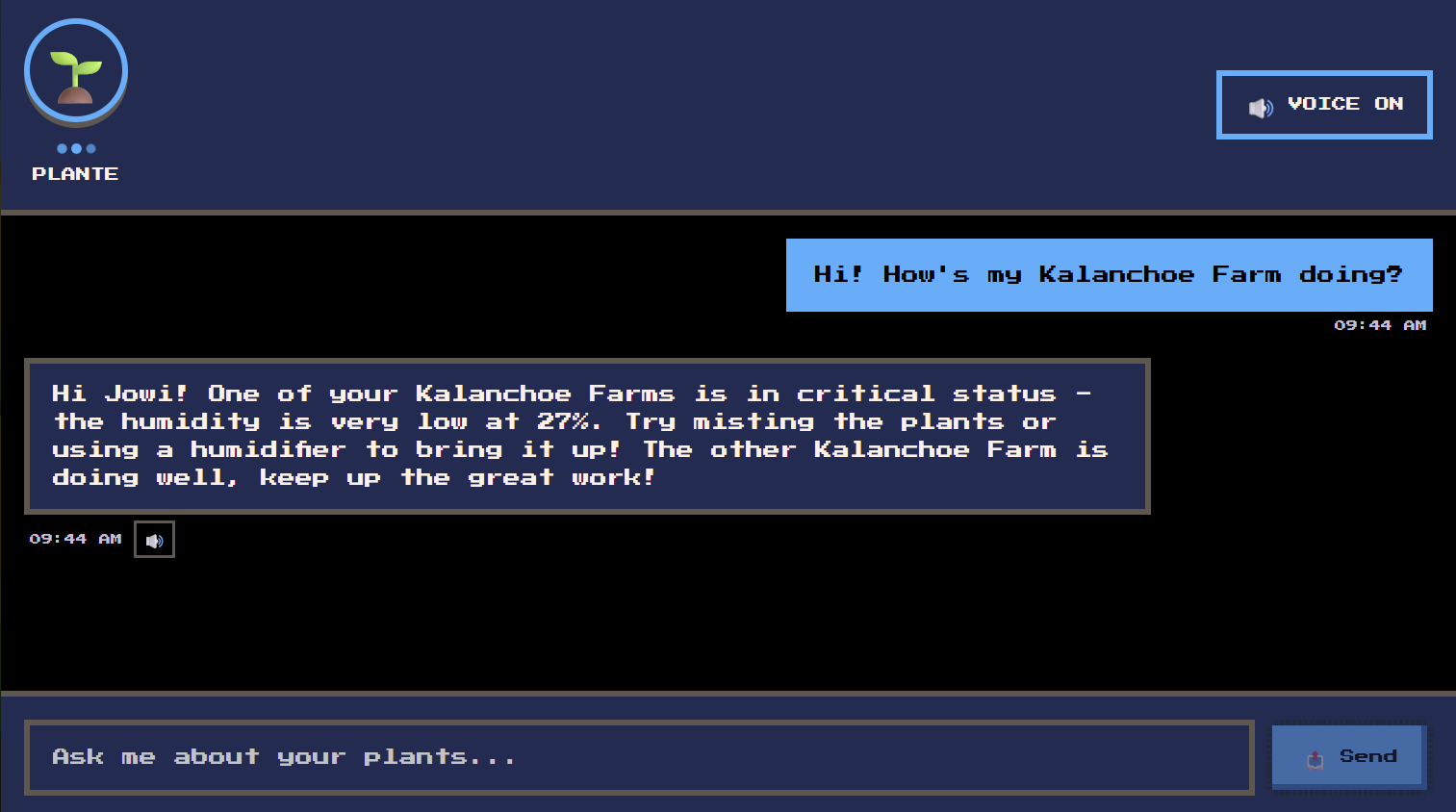
- 🤖 Context-Aware AI Chat: Not a generic botany bot. Real-time sensor data from your farms is passed into the prompt, so asking "Help, my Tomato Farm is critical 😭" gets advice based on that farm's actual readings. Powered by Gemini Flash, with ElevenLabs voice replies
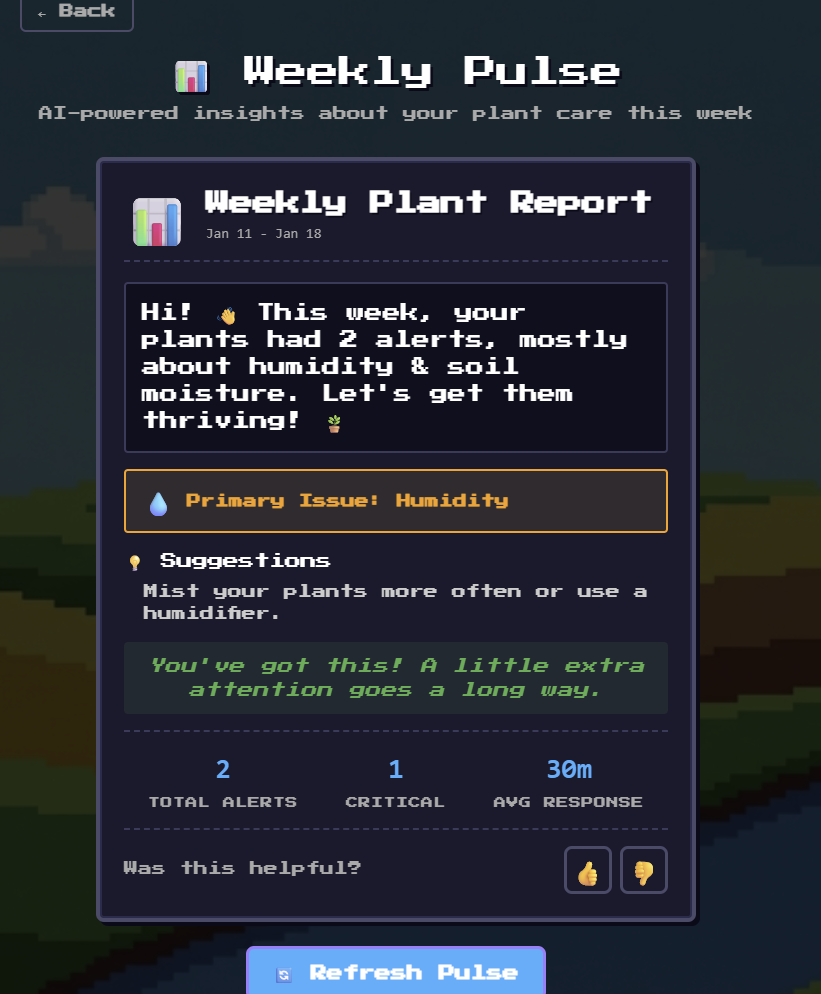
- 📈 Weekly Pulse: AI-generated weekly reports that analyze the week's sensor data and suggest long-term habits
- 🎮 Gamification: Earn XP, keep up "green streaks", and unlock achievements in your personal museum for keeping plants alive
- 🧑🤝🧑 Social Farming: Visit your friends' farms and museums, climb the leaderboard, and emote at each other
- 🔔 Smart Notifications: In-app alerts and SMS via Twilio when a farm needs attention
- 🔐 Google Auth: Secure sign-in with NextAuth.js
| Context-aware chat | Weekly Pulse |
|---|---|
 |
 |
Hooking physical hardware up to a web application is no joke. An early approach of reading sensors directly from the app's backend caused deadlocks, so the design moved to a dedicated sensor service on the Pi that owns the hardware, with everything else talking to it over REST:
flowchart LR
    subgraph browser["🖥️ Browser"]
        UI["Pixel-art UI<br/>(Next.js + React)"]
    end

    subgraph server["☁️ Web server (Vercel)"]
        API["Next.js API routes"]
        DB[("MongoDB")]
    end

    subgraph services["External services"]
        AI["Gemini Flash<br/>(via OpenRouter)"]
        TTS["ElevenLabs voice"]
        SMS["Twilio SMS"]
    end

    subgraph greenhouse["🌱 Mini greenhouse"]
        PIAPI["Raspberry Pi 5<br/>FastAPI sensor server"]
        SENSORS["DHT11 · BH1750 · soil<br/>moisture · camera"]
        LOOP["Automation loop<br/>(main_control.py)"]
        ARDUINO["Arduino + dual servos<br/>(greenhouse lid)"]
    end

    UI -->|HTTPS| API
    API --> DB
    API -->|"chat & weekly pulse"| AI
    API -->|"text-to-speech"| TTS
    API -->|alerts| SMS
    API <-->|"REST via Cloudflare Tunnel / Tailscale"| PIAPI
    PIAPI --> SENSORS
    LOOP -->|"local HTTP"| PIAPI
    LOOP -->|"USB serial"| ARDUINO
    PIAPI -->|"lid commands"| ARDUINO
How the pieces talk to each other:
- On the Pi, a FastAPI server reads the sensors and camera, caches readings, and exposes them as REST endpoints (
/sensors,/camera,/lid). It runs as a systemd service and is the only process that touches the GPIO pins. - An automation loop on the Pi polls that same API, compares readings against per-plant thresholds, and tells the Arduino over USB serial to open or close the greenhouse lid with its two servos.
- The Next.js server reaches the Pi through a Cloudflare Tunnel (or Tailscale VPN), syncs sensor snapshots into MongoDB, and computes each farm's
healthy/warning/criticalstatus. - The AI features build their prompts from this live data. The chat assistant and Weekly Pulse both know exactly what temperature, humidity, and soil moisture each farm is sitting at.
| Component | Role |
|---|---|
| Raspberry Pi 5 | Runs the sensor API and automation loop |
| Arduino + 2 servos | Opens and closes the greenhouse lid |
| DHT11 | Temperature & humidity |
| BH1750 | Light intensity |
| Soil moisture sensor | Via a Waveshare AD/DA HAT (analog → digital) |
| Camera Module 3 | Plant photos & health monitoring |
See hardware/README.md for wiring diagrams, pin assignments, and sensor testing, and hardware/NETWORKING.md for exposing the Pi to the web server.
Fun fact: the original plan included an automated water pump, but the hackathon kit couldn't draw enough power to run it. The "Water Now" button was rewired to send notifications instead, a crash course in MVP scoping when hardware refuses to cooperate.
| Category | Technology |
|---|---|
| Framework | Next.js 16, React 19, TypeScript |
| Styling | Tailwind CSS, NES.css, PICO-8 palette, Framer Motion |
| Database | MongoDB with NextAuth adapter |
| Auth | NextAuth.js (Google OAuth) |
| AI | Gemini Flash via OpenRouter |
| Voice | ElevenLabs TTS |
| SMS | Twilio |
| Hardware API | Python, FastAPI, systemd |
| Monitoring | Sentry |
The app now runs as a fully self-contained demo: no environment variables, API keys, or database needed. Just npm install and npm run dev, then sign in with the demo account.
Setup instructions for the web app and the Raspberry Pi, the project structure, development commands, and links to all feature docs live in docs/GETTING_STARTED.md.
