


Experience the Power of Productivity
Make your team 40% more efficient. Set up your account in just 2 minutes!

Proudly made in India. Trusted Globally
Understand productive hours, focus time, work patterns, and team performance in one place. Therefore, you can help teams stay productive, improve utilization, and deliver better business outcomes.


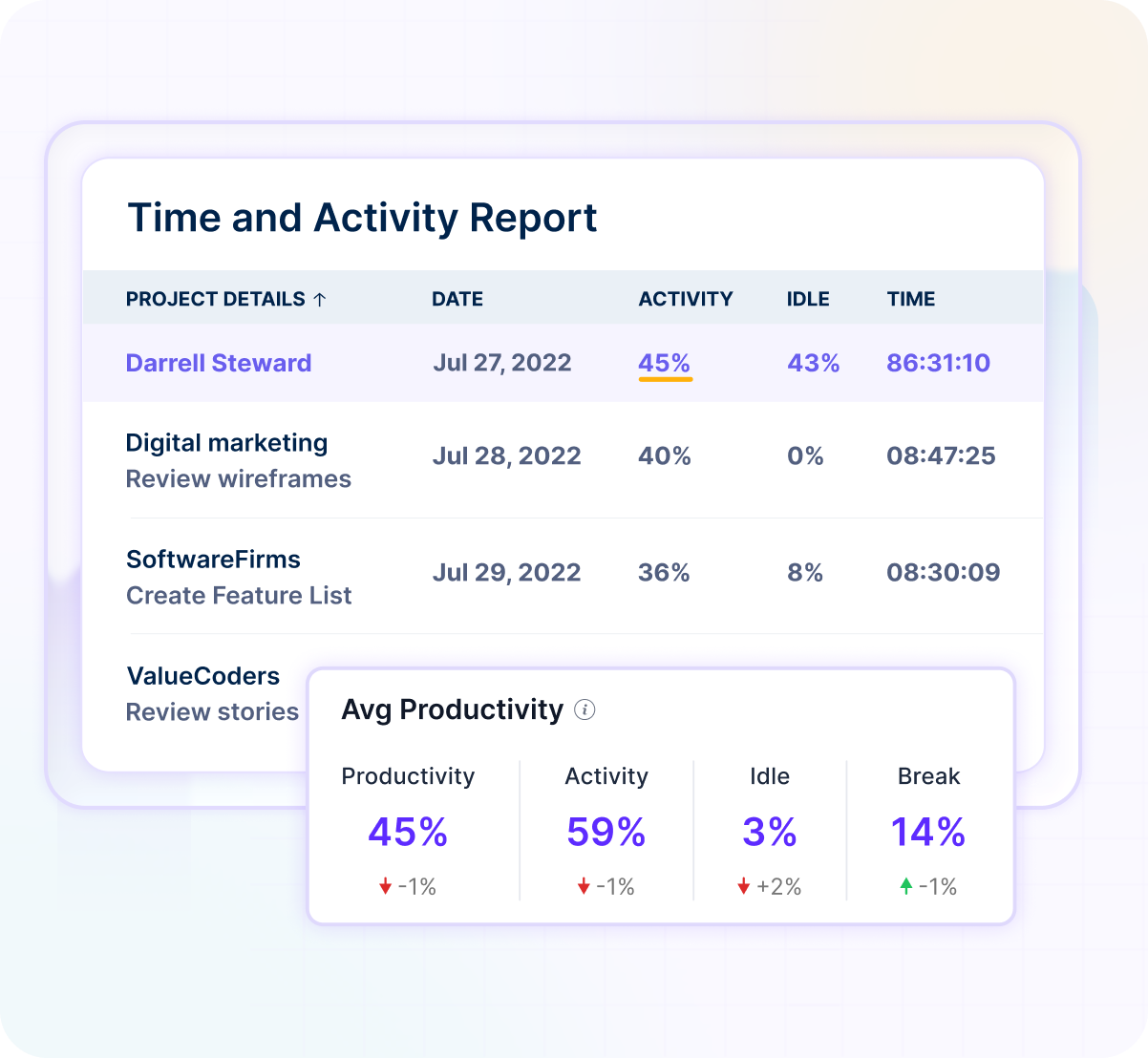
Productivity management software helps you understand how teams spend time, focus on work, and contribute to project outcomes. Thus, you can improve productivity with real work insights.
Productivity is more than tracked hours. Connect focus time, work patterns, and productivity trends to make better workforce decisions.


Connect productivity, focus time, and work patterns before performance issues impact delivery.
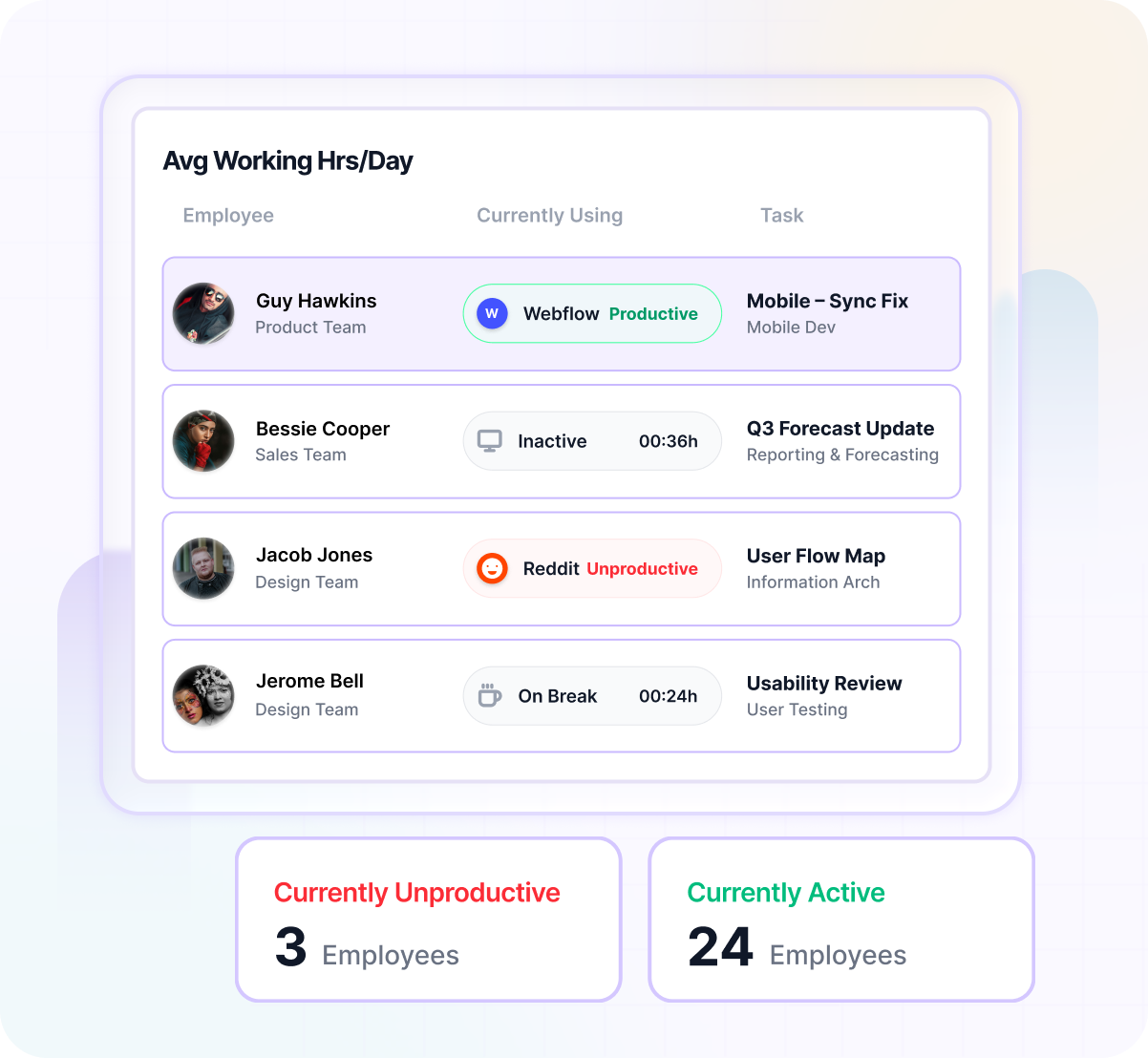

Get a complete view of productive and non-productive time across teams and projects.

Gain transparency into completed work with visual proof of activity and progress.

Identify workload pressure early and support healthier, more sustainable productivity.

See workload distribution across teams and balance work before productivity drops.

Access productivity insights instantly without spending hours on manual reporting.
Connect work activity, focus time, and productivity data automatically. Therefore, you can make better workforce decisions every day.
Track work hours, applications, websites, and daily activity.
Connect focus time, productivity trends, and workload data.
See productivity trends, focus patterns, and workload visibility in real time.
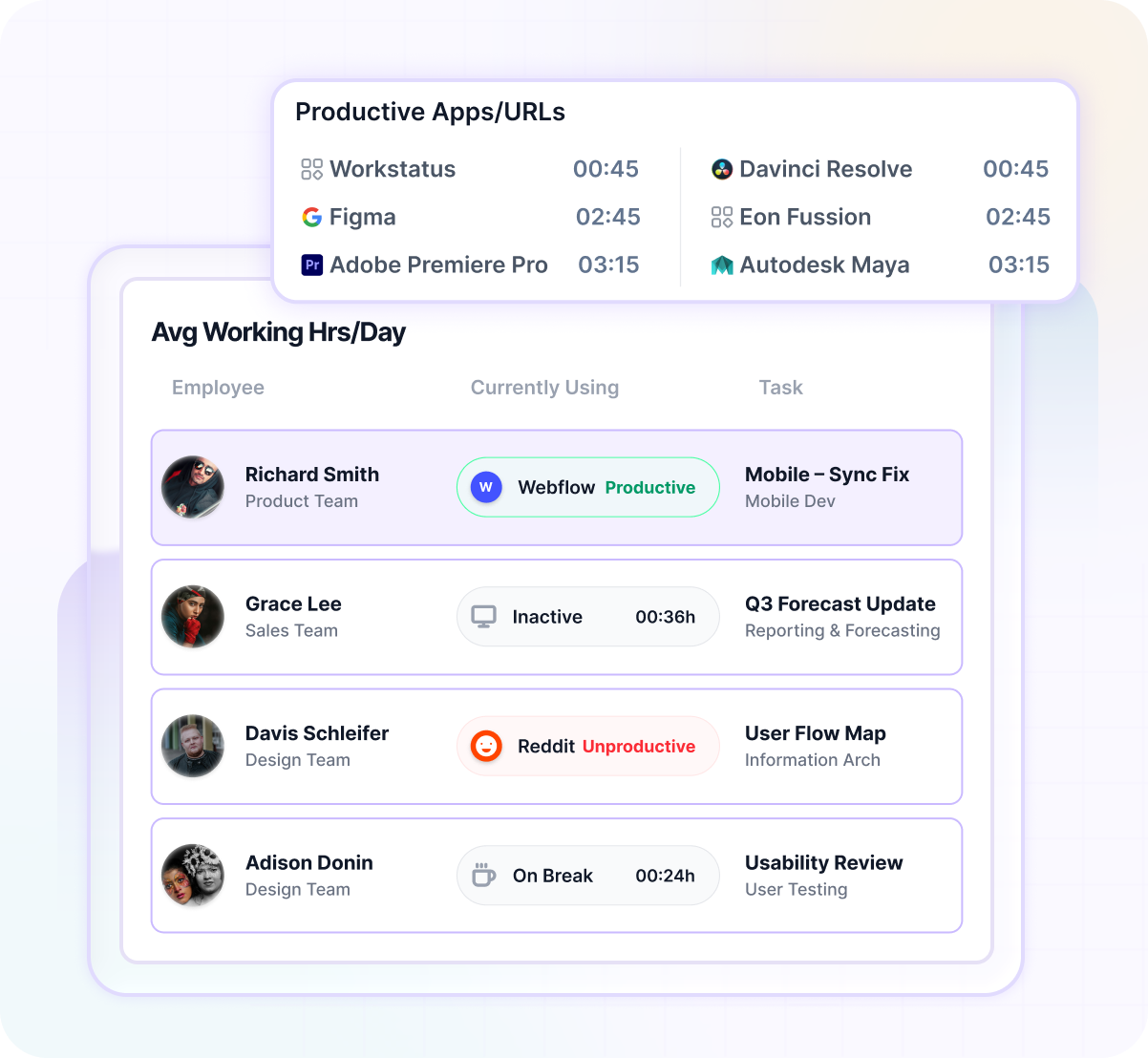

Understand focus, productivity, and work patterns in one place with Workstatus.
Book a Demo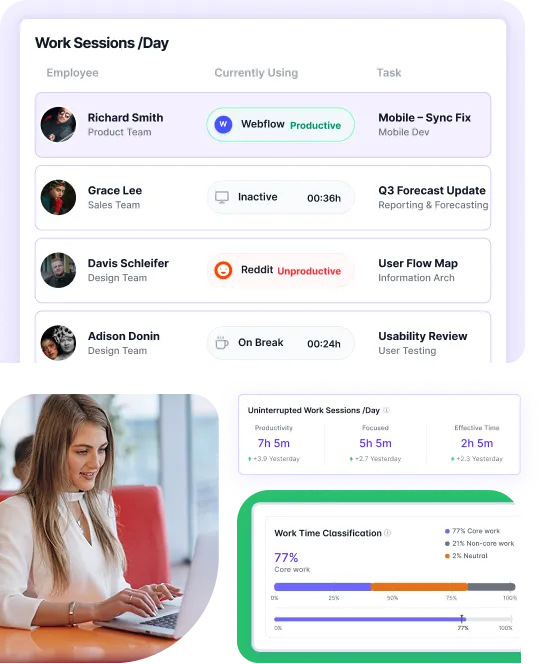
Workstatus Productivity Management Software helps service businesses connect workforce activity, productivity, utilization, and workload trends in one place. Teams that manage distributed workforces use it to improve planning, balance workloads, and make better workforce decisions.
You don’t need to migrate data. Connect tools and add an intelligence layer to your existing data to unify visibility, remove gaps, and enable smarter decisions.
Explore More
A unified intelligence layer connecting your people, projects, and operations- turning daily work into predictable outcomes.
Unlock workforce potential with digital habits, workload signals, and focus trends — without micromanaging your team.
Explore Productivity IntelligenceReal-time visibility into progress, blockers, delivery estimates, and verified balance for every project across your portfolio.
Explore Project IntelligenceClear visibility into billable hours and invoice-ready time, ensuring accurate billing and healthier margins on every engagement.
Explore Time IntelligenceCross-team insights into capacity, utilization, and performance health across roles, teams, and departments - at a glance.
Explore Workforace IntelligenceConnect productivity, focus time, utilization, and workforce insights with Work Intelligence.
A productivity monitoring software helps teams see how work is getting done and where improvements are needed. It connects tasks, time, and outcomes in one place.
Workstatus works as a workplace productivity software that brings clarity to daily work.
As teams grow, it becomes harder to see where time and effort are going. This helps bring structure and clarity.
Workstatus works as a workforce productivity tracking software for service teams.
It shows how work flows and where teams can improve. This helps create more consistent output.
Workstatus helps teams perform better over time.
The best AI productivity apps help teams automate repetitive tasks, manage workloads, track progress, and improve collaboration like Workstatus.
Popular solutions often combine automation, task management, time tracking, and analytics to boost overall productivity and streamline daily operations.
It highlights when teams are overloaded or working unevenly. This makes it easier to adjust work before issues grow.
Workstatus helps maintain a healthier workload.
It shows how team capacity is being used across projects. This helps avoid both overload and idle time.
Workstatus helps teams use resources more effectively.
The top AI productivity tools in 2026 are designed to enhance efficiency through intelligent scheduling, workflow automation, project tracking, and productivity analytics.
Workstatus is one of the best ai productivity apps, businesses should look for solutions that provide actionable insights and support better decision-making.
Yes, it helps keep work visible across locations. Teams stay aligned without constant check-ins.
Workstatus also works as a work productivity monitoring software for distributed teams.
Modern AI productivity apps analyze work patterns, automate routine processes, and provide recommendations to improve performance.
The best AI apps for productivity help teams reduce manual effort, stay focused on high-value work, and achieve better outcomes with less time and resources.
It should go beyond tracking and help improve how work is done. Look for tools that give clear and usable insights.
Workstatus brings these features together in one place.
Employers need productivity monitoring software like Workstatus to understand team performance and improve work efficiency.
Productivity management helps you improve work performance and outcomes.
Employee surveillance focuses on watching employee activity.
Productivity management helps teams perform better while maintaining transparency.
Employee productivity monitoring software helps you understand work patterns and improve team performance.
Managing your workforce, projects, and reports gets simple & effective.
“Workstatus simplified our workforce management and HR operations, allowing us to track attendance seamlessly and accurately.”

“Workstatus is incredibly easy-to-use. It allows us to track time accurately for each project and task.”

“We started using Workstatus sometime back. It gives a clarity on project progress, and we are able to track the time spent on each task.”

“So far, I am happy with Workstatus. The client support is awesome. There've been some tweaks here & there, but I recommend this application.”

“Workstatus doesn't just track time, it helps us understand how the team is performing. It always boosts team morale.”

“Time management is crucial for us, and Workstatus keeps away the distractions. We can focus more on project and deliver best outcomes to users.”

Managing your workforce, projects, and reports gets simple & effective.

Workstatus is highly rated on G2 for ease of use, productivity insights, and workforce visibility.
Explore More
Workstatus is highly rated on Trustpilot for reliability, ease of use, and workforce visibility.
Explore MoreTracking time is not enough. Identify up to 20–25% revenue leakage, improve utilization by 15%, and prevent costly overruns.


Get a 7-day free FULL FEATURE trial of Workstatus now. Boost efficiency, accountability, and results – anytime, anywhere.


